Third-Party Cloud Integration
This flow covers building a custom cloud application on top of ToloMEO, so that device data and controls can be embedded into your own infrastructure, product, or user-facing portal.
Involves: Fleet Manager, Cloud
How it works
ToloMEO exposes a REST API that gives external applications programmatic access to the same data and capabilities available through the cloud UI: device status, telemetry metrics, OTA state, and command dispatch. An external service authenticates against the API and can then read from or write to any resource it has been granted access to.
flowchart LR
    subgraph device["On the device"]
        D["Device\n(py-tolomeo services)"]
    end
    subgraph tolomeo["ToloMEO cloud"]
        API["REST API"]
    end
    subgraph custom["Your infrastructure"]
        App["Custom application\n(any language / platform)"]
        UI["Your users"]
    end
    D -->|"telemetry + events"| API
    API -->|"commands"| D
    App <-->|"HTTPS"| API
    UI --> App
The full API reference is available at gitlab.com/.../tlm-api.
What you can build
Any application that can make HTTPS requests can integrate with ToloMEO. The API is not tied to a specific language, framework, or cloud provider. A custom integration could be:
- A branded operator portal for your end customers, showing only the devices they own
- A backend service that ingests telemetry into your own time-series database or data lake
- A CI/CD pipeline hook that triggers an OTA rollout after a successful build
- An alerting bridge that forwards Fleet Manager events into your existing incident management or on-call system
- A mobile or desktop application with a tailored UX for field technicians
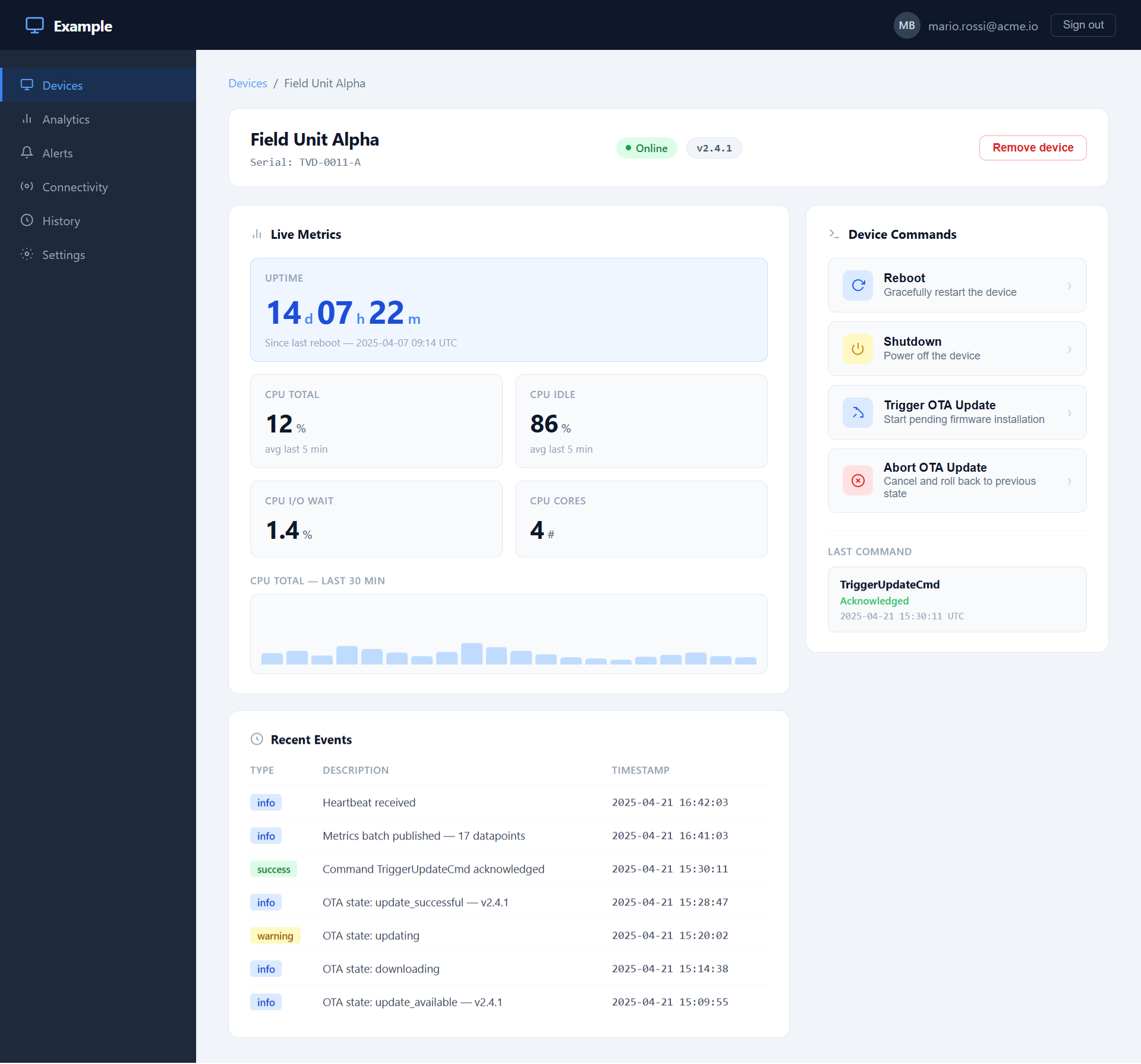
The screenshots below show an example of a custom web application built on the ToloMEO API: a lightweight device management portal with its own branding, authentication, and user model, entirely powered by data sourced from ToloMEO.
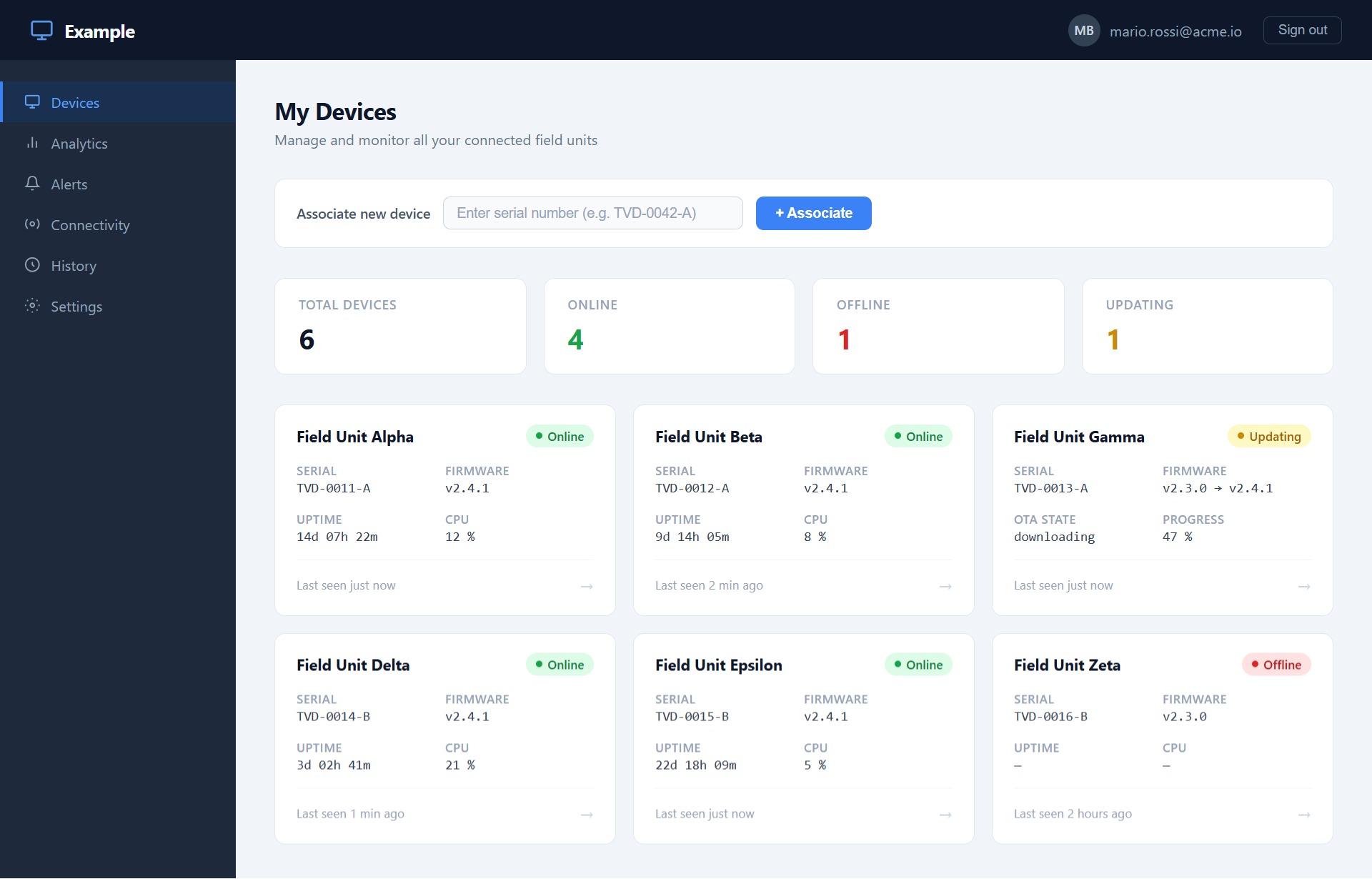
Selecting a device opens a detail view where live metrics and command controls are driven directly by the API, with no ToloMEO UI visible to the end user.
Key integration points
Reading device data
The API exposes device connectivity state, current firmware version, and the full telemetry history for each metric published by the on-device services. A custom application can poll this data on a schedule or use it to populate its own dashboards and reports on request.
Sending commands
Commands available in the Fleet Manager Control panel are equally available through the
API. A custom application can trigger a reboot, initiate or abort an OTA update, or
dispatch any custom command registered by a py-tolomeo service, with the same
authorization rules that govern the UI.
Listening to events
The API provides access to the device event stream, including OTA state transitions, connectivity changes, and alarm events. An integration can subscribe to these to drive automated workflows: for example, re-queuing a failed OTA download, or opening a support ticket when a device goes offline unexpectedly.
Authentication
External applications authenticate against the ToloMEO API using the same identity fabric as the cloud UI. Consult the API reference for the supported authentication flows and how to obtain and rotate credentials for a service account.
Automation and pipelines
Because the full OTA and device management surface is accessible via API, the entire operational loop can be automated without any manual steps in the UI. A custom service can register a firmware release, activate it on a model, monitor rollout progress per device, and re-trigger failed updates, all driven by your own orchestration logic. The same applies to SBOM tracking and vulnerability workflows available through the Cybersecurity module.