Cybersecurity
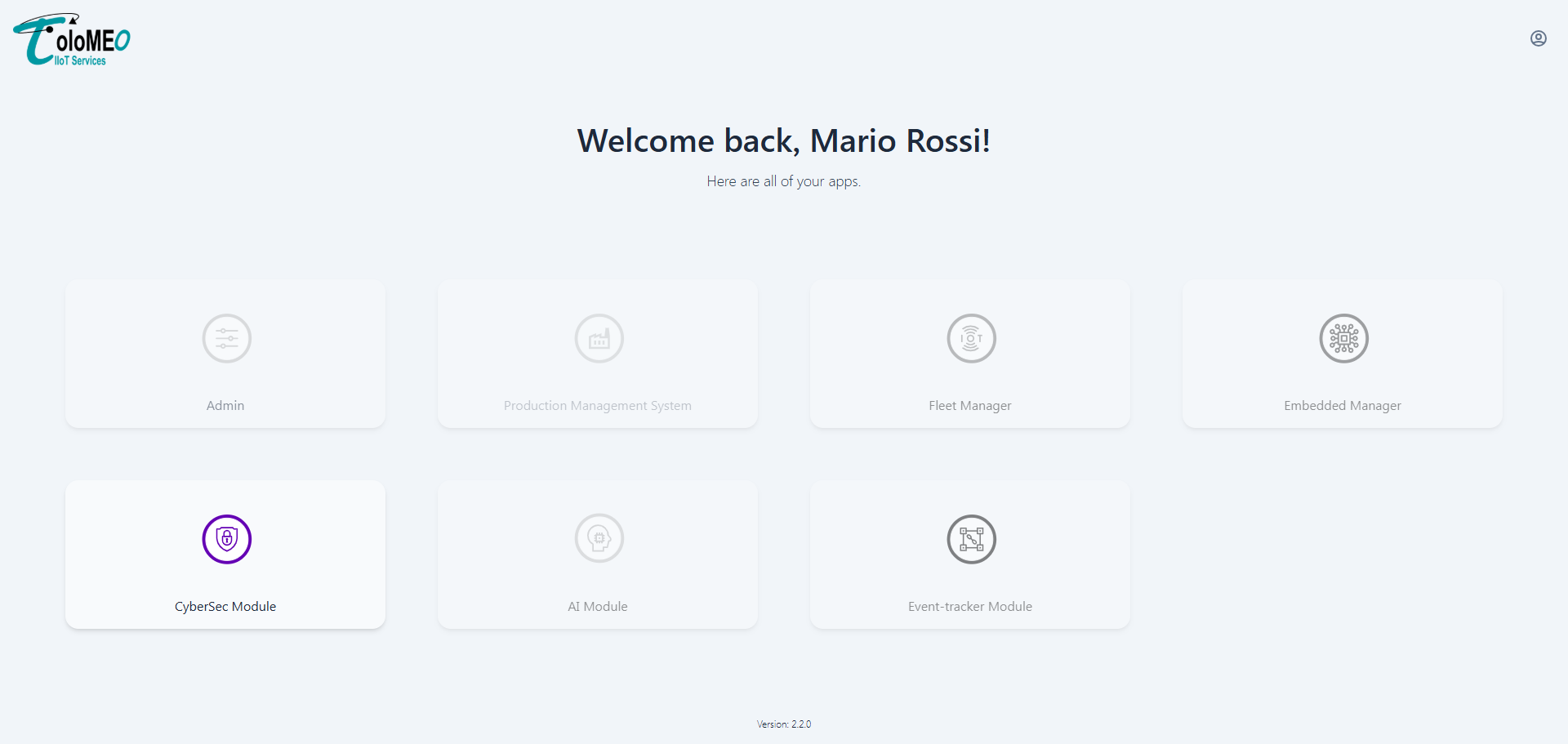
The Cybersecurity module provides SBOM-based vulnerability management for firmware models. It ingests software bill of materials files, runs CVE analysis, and gives operators the tools to triage findings, set up alert notifications, and generate PDF security reports.
Dashboard
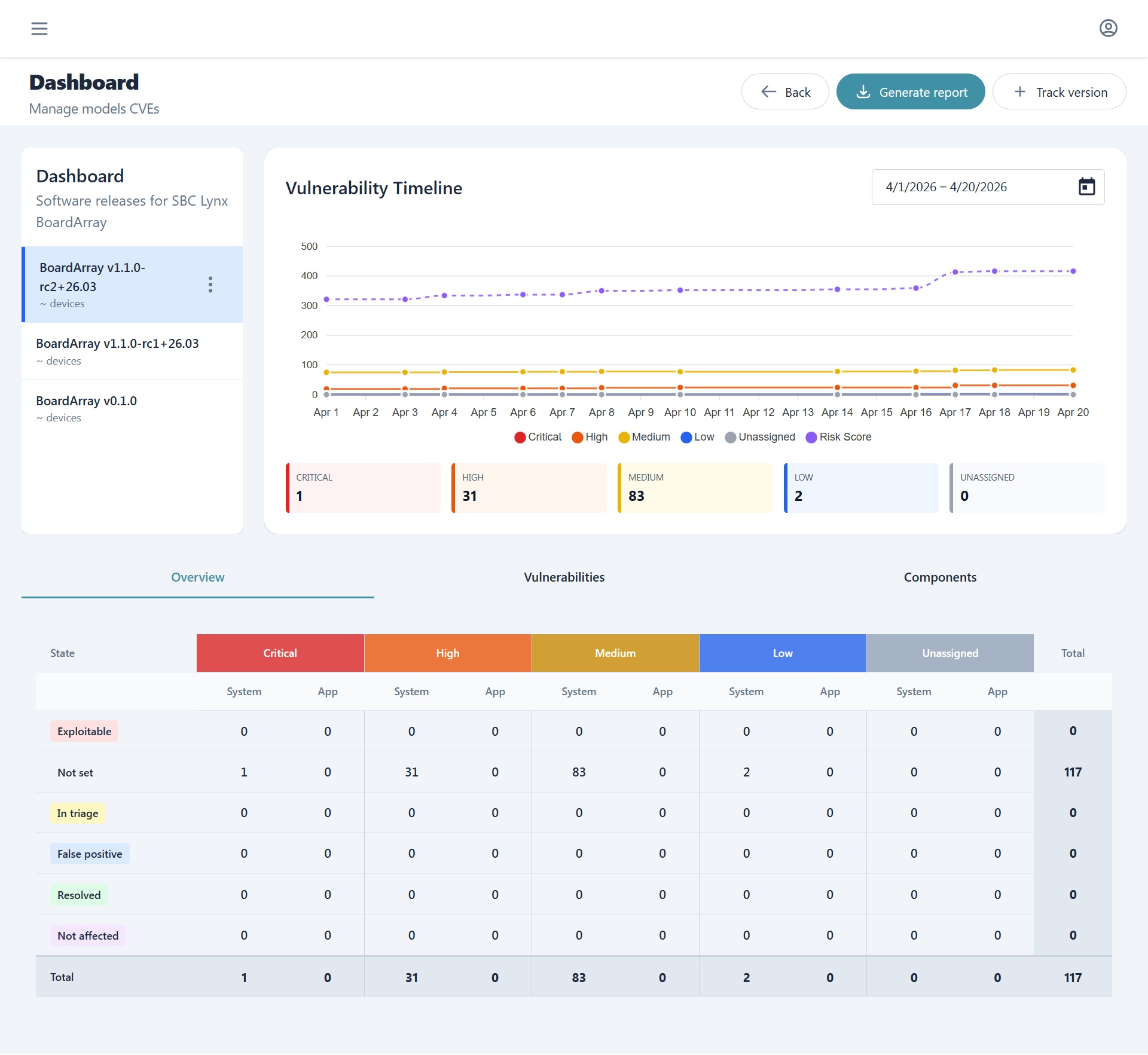
The dashboard empowers the user to switch between different firmware versions while being able to check, at a glance, current and historical data about vulnerabilities. From here one can also generate accurate and tracked reports or perform triage of affecting vulnerabilities.
Project structure
Cybersecurity tracking is organized per model, mirroring the PMS model hierarchy:
Model: "DeviceX"
├── Firmware DeviceX v1.0.0
├── Firmware DeviceX v1.1.0
└── Firmware DeviceX v2.0.0
Each enabled firmware release promoted in PMS Models or Embedded Manager gets a corresponding project for SBOM and CVE tracking.
Vulnerability timeline
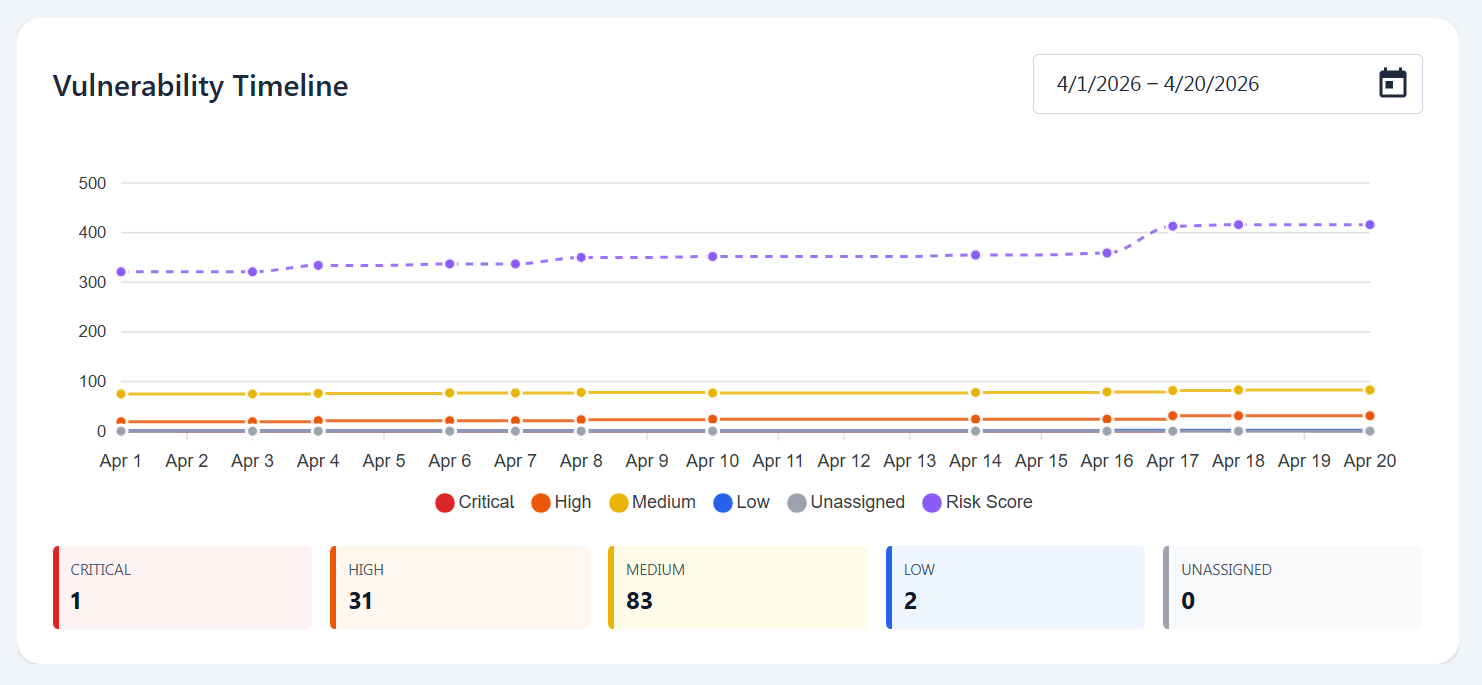
The vulnerability timeline shows the historical data of vulnerabilities per severity and risk score while enabling the user to select whichever time interval of the tracked sbom and decide which are the information they want it to report with a simple click.
SBOM and VEX upload
Tracking sboms of already uploaded firmwares is done through the track version button. SBOMs must be in CycloneDX format and once uploaded, they are processed by our servers matching components against known CVE databases and populating the vulnerability views.
VEX (Vulnerability Exploitability eXchange) files can be uploaded alongside SBOMs to suppress false positives and apply known-not-affected justifications at the component level.
SBOM and VEX are all results of builds from the meta-tolomeo metalayer or can be obtained as well from the automated builds in the Embedded Manager. For a step-by-step walkthrough of uploading, triaging, and reporting, see the SBOM Tracking flow.
Overview
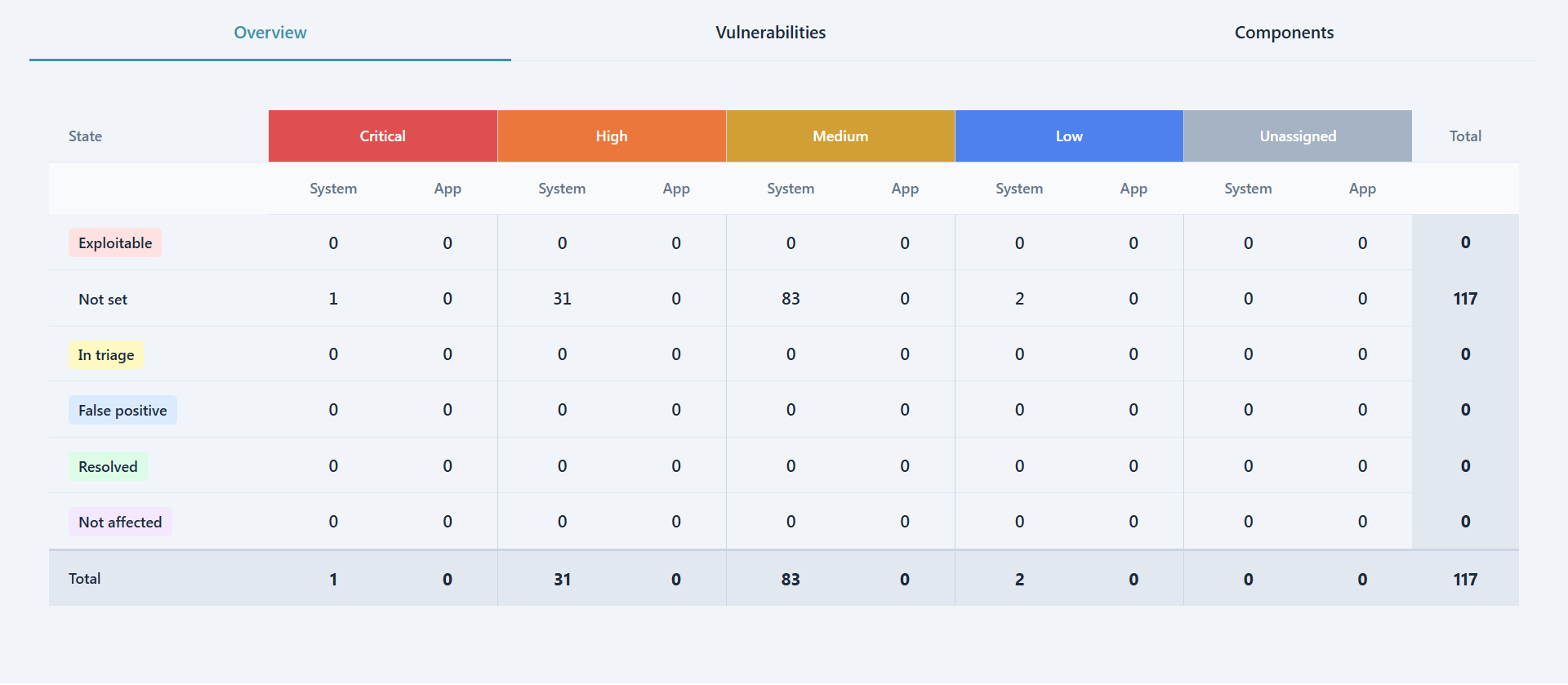
The overview tab shows for the currently selected firmware version a severity, triage and separation of concerns matrix. Each cell is clickable and forwards the user to the respective filtered Vulnerabilities list.
In the matrix severities generate the horizontal separation while the triage state the vertical one. Furthermore all vulnerabilities are divided between System, which are generated from DAVE's software, and App which instead concerns the customer own customization and software.
Vulnerabilitiies and Triage
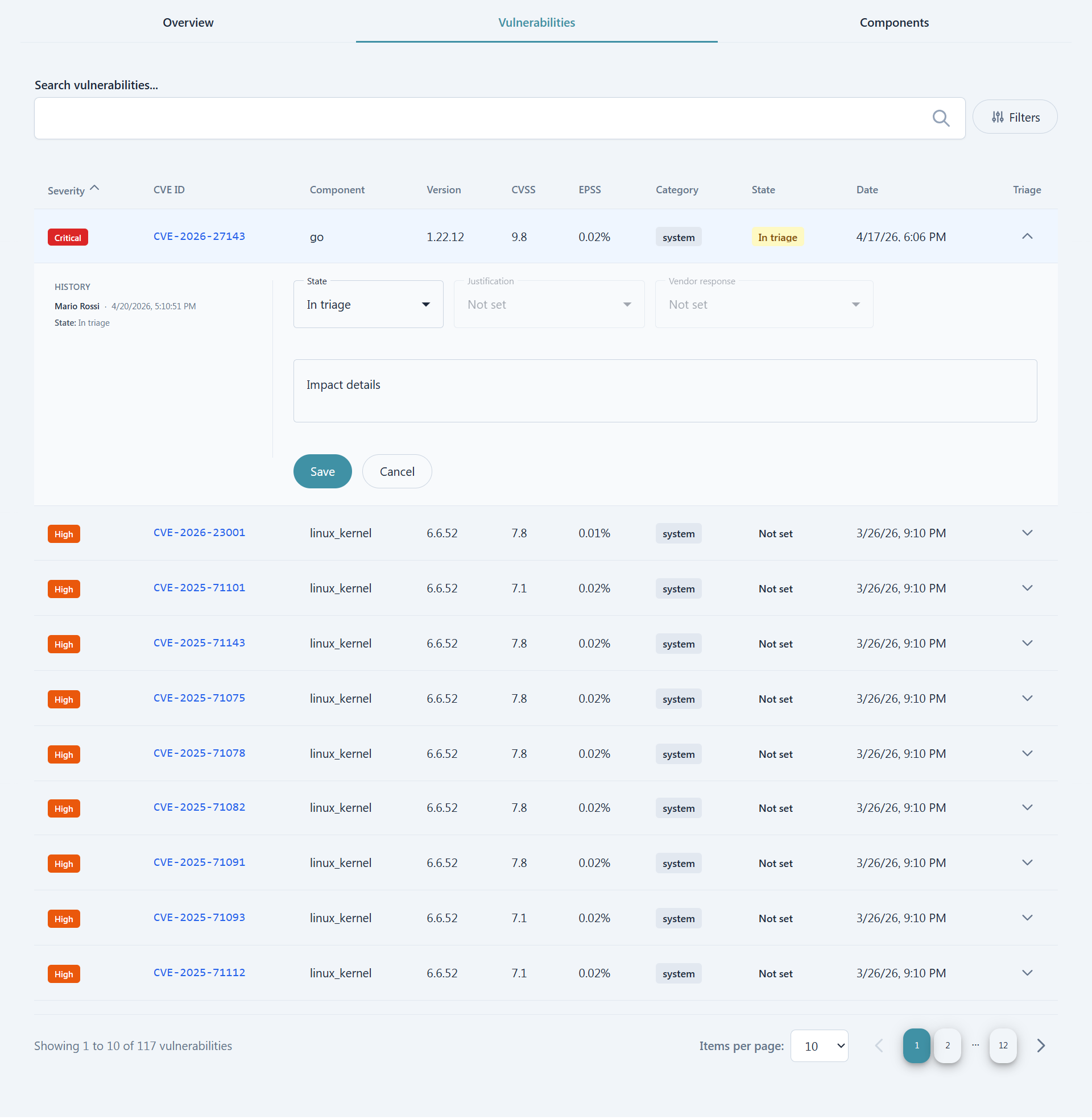
Inside the Vulnerabilities tab the list of affecting vulnerabilities is present. Users can filter either by searching directly for specific CVEs or components or by leveraging the more customizable filtering options.
For users with enough permissions the Triage column is also present which enables a view of recent triage history as well as a form to perform aforementioned triage. Note that all changes to the triage state are tracked and stored permanently for later consulation.
Components
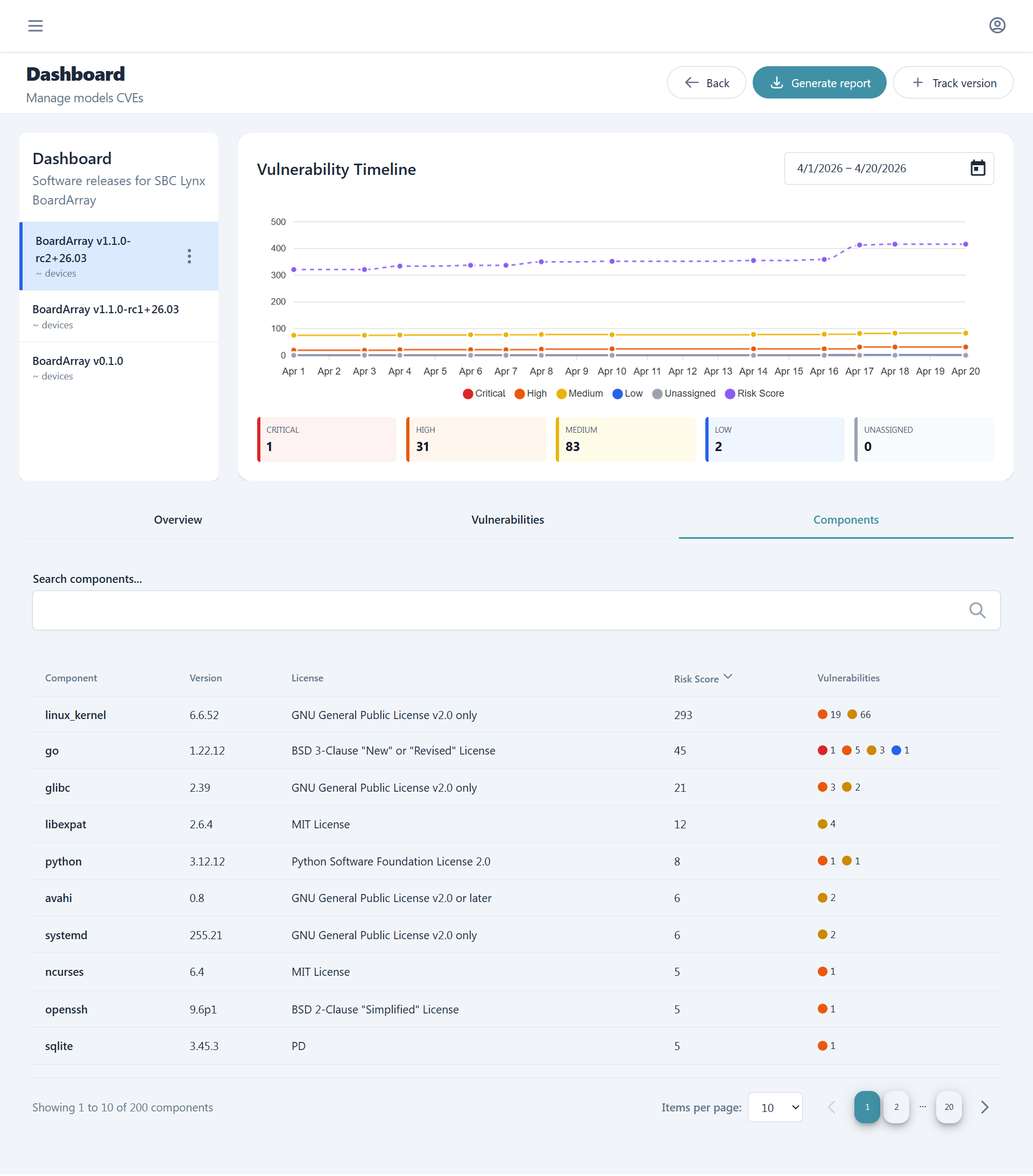
The last tab, Components, contains the list of all the components contained in the selected firmware version and for each we can see name, version, license, risk score and a summary of affecting vulnerabilities.
Analysis
The Analysis section provides advanced visualization and comparison tools to understand vulnerability trends and component evolution across firmware versions. Users can perform deep historical analysis on individual versions or compare multiple versions side-by-side to track security posture changes over time.
Deep Dive
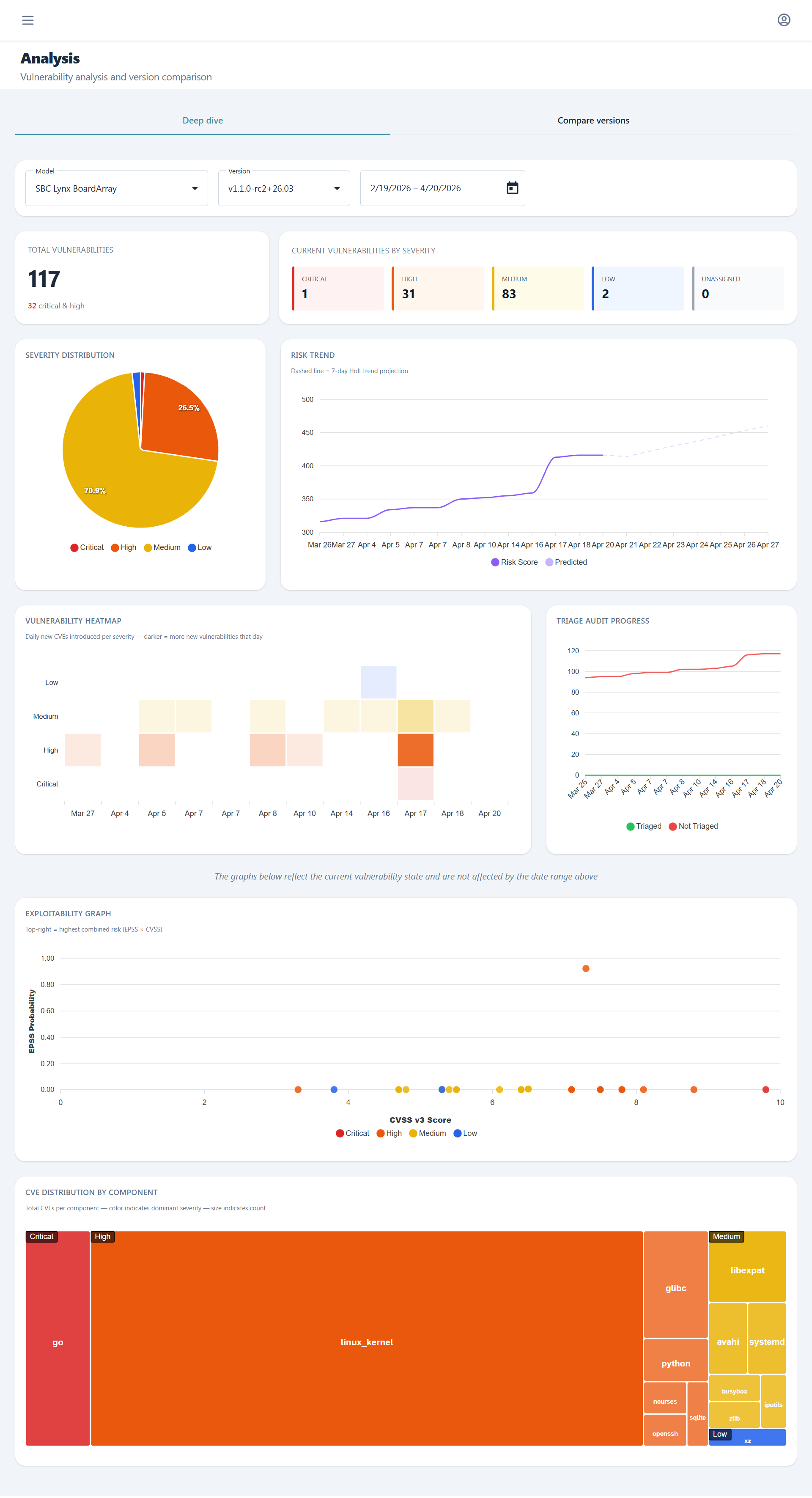
The Deep Dive tab offers comprehensive historical graphs and metrics for a specific model and firmware version. This view enables detailed temporal analysis of vulnerability patterns, severity distributions, and risk score evolution, helping teams understand how the security profile of a particular firmware version has changed over its lifecycle.
Compare Versions
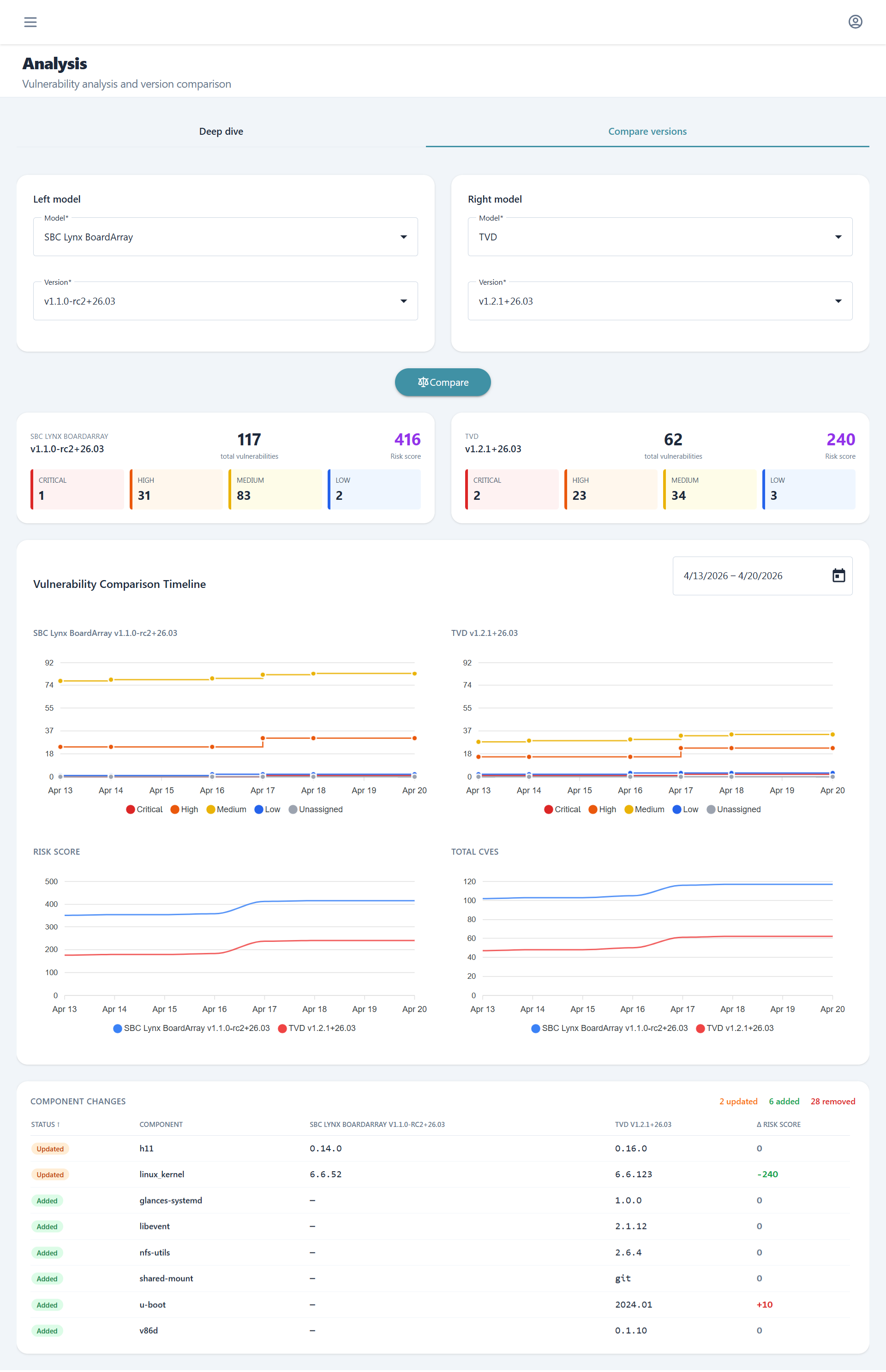
The Compare Versions tab enables side-by-side historical comparison across different models and firmware versions. Beyond vulnerability metrics, this view provides a detailed component change analysis showing which software components were added, removed, or updated between selected version pairs, making it easy to identify the source of new vulnerabilities or security improvements.
Reports
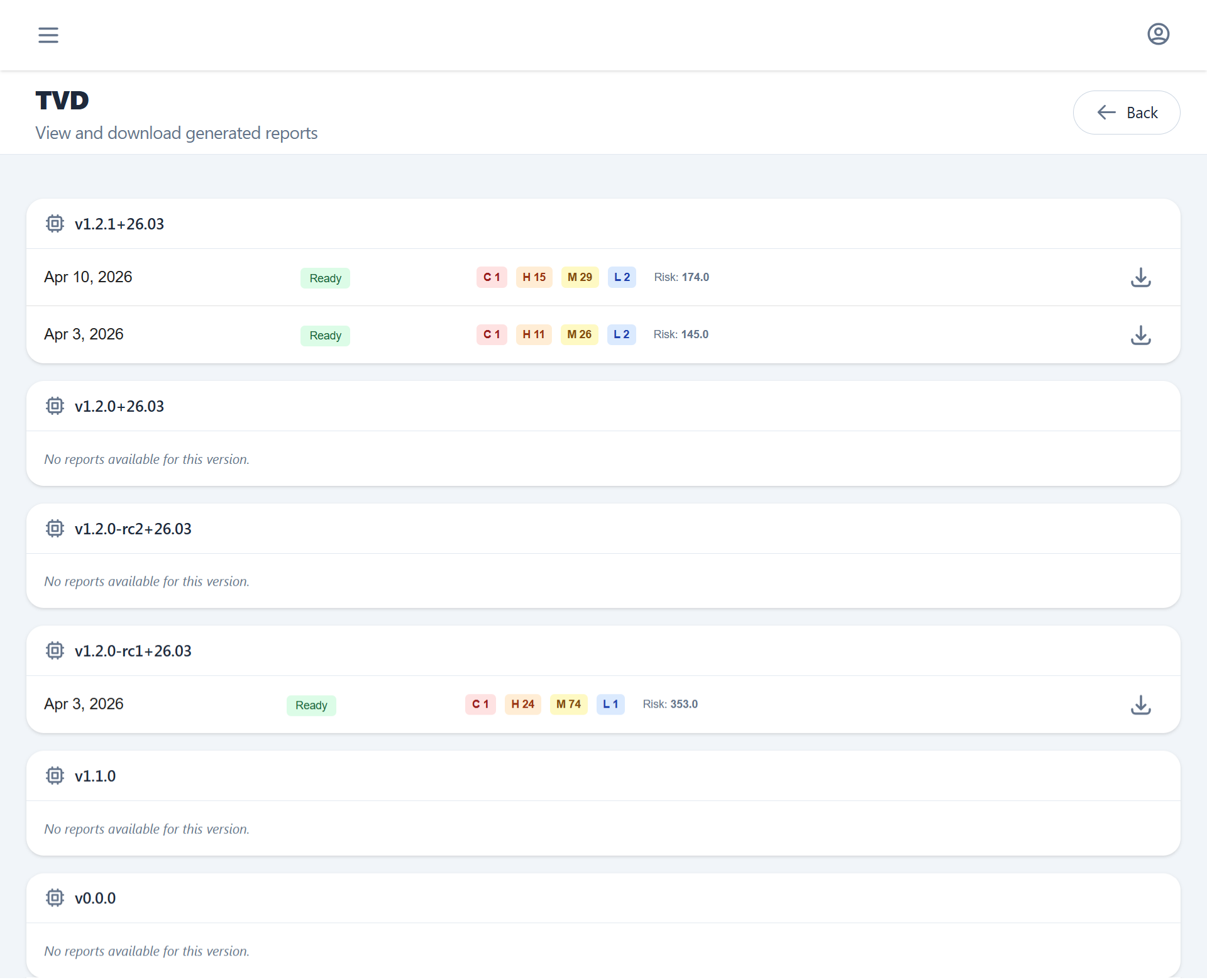
PDF security reports generated from the Overview section can bee seen from here.
Each report contains the project metadata, SBOM component table, CVE findings with CVSS scores, and generation timestamp.
Since reports are generated asynchronously users can here track progress, download available ones via one time use URL and visualize historical records.
Alarms
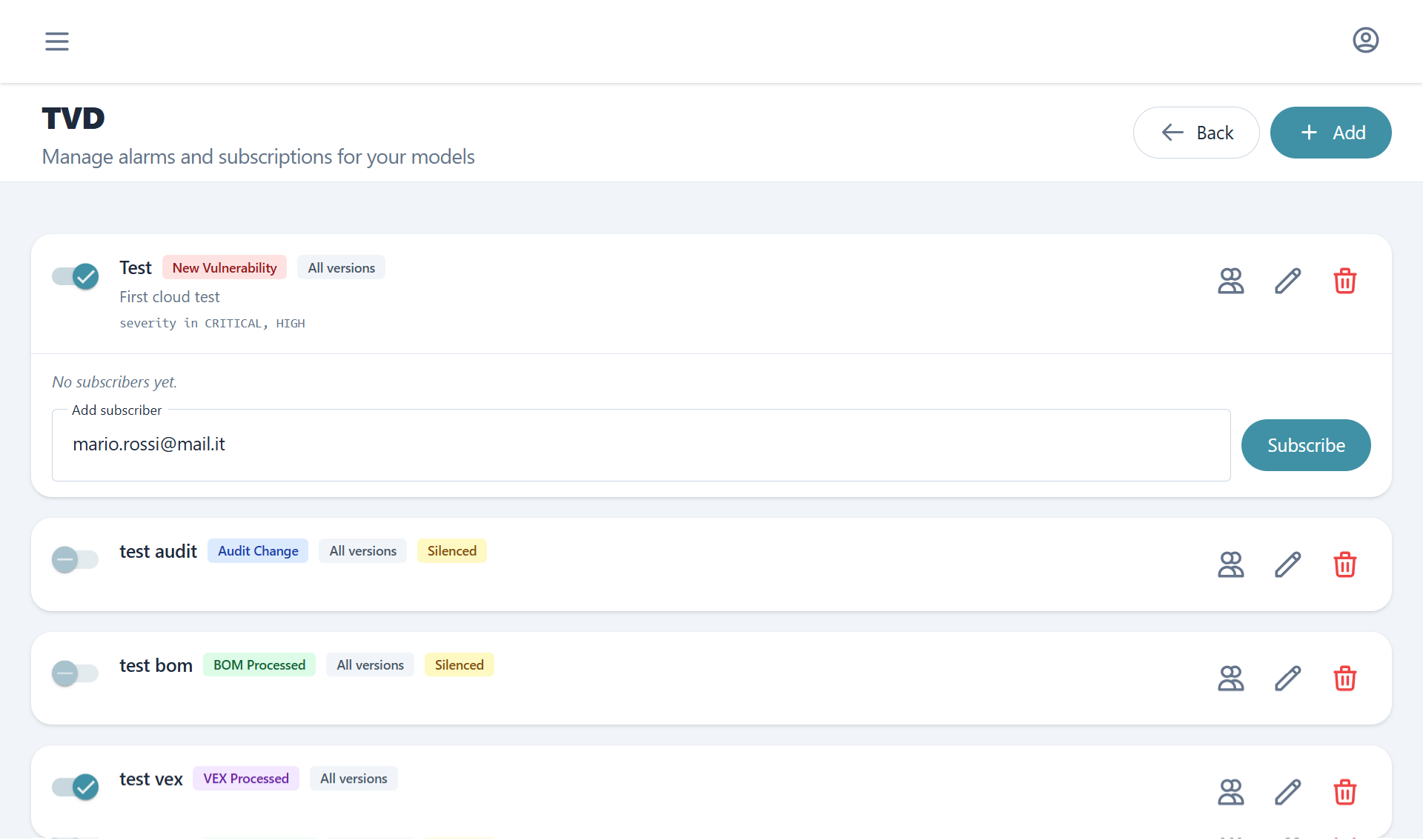
Alarms define CVSS and severity-based rules that trigger email notifications when monitored detect relevant events. For guidance on configuring alarms as part of an ongoing firmware maintenance practice, see SBOM Tracking. An alarm is scoped to a specific model and can target all firmware versions under that model or a specific subset.
Supported alert types:
| Alert type | Trigger |
|---|---|
| New vulnerability | A new CVE was matched to a component |
| Project audit change | An analysis state was changed |
| BOM processed | SBOM ingestion completed |
| VEX processed | VEX file was processed |
New vulnerabilities, since they are more complex and frequent, can also get filtered using our custom filtering option by severity, CVSS and EPSS.
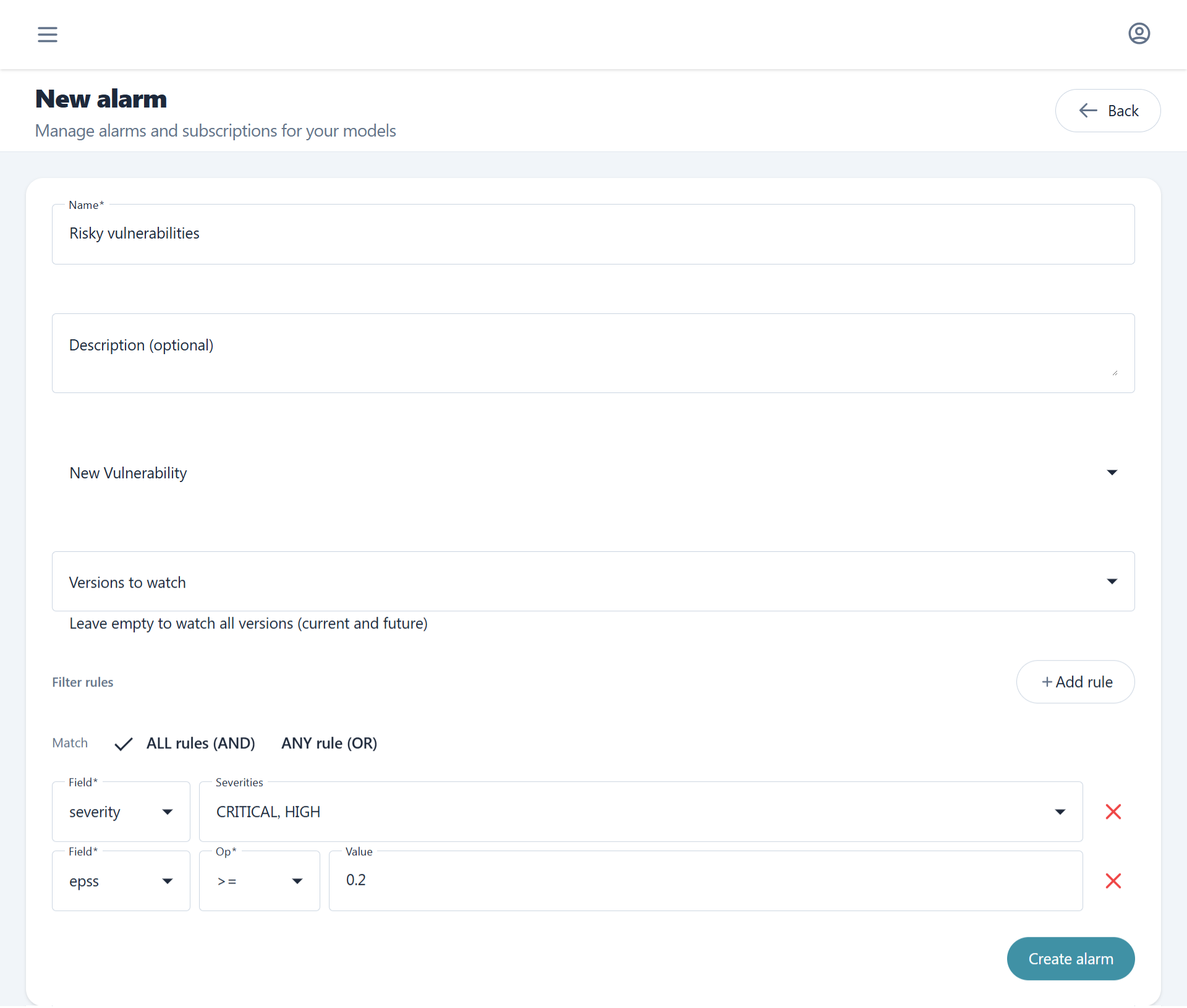
Each alarm can have multiple subscribers. Subscribers receive email notifications when the alarm's filter rules are satisfied.